



Hidden Hearing and Amplifon have become Audika Read more here
Connect hearing aids to the Oticon App
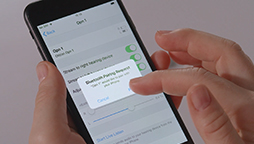
1. On your phone, go to ‘Settings’. Make sure the ‘Bluetooth®’ button is in the ‘On’ position. Then scroll down to ‘General’, and then ‘Accessibility’ and then ‘Hearing Devices’.
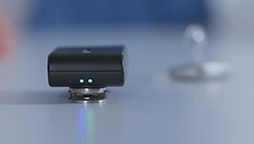
2. Now restart your hearing aid by opening and closing the battery compartment. This will put your hearing aid into ‘pairing mode’ for three minutes. Do this for each hearing aid if you have more than one.
3. Your hearing aid(s) should now appear on your phone screen. Tap on the name of your hearing aid and tap ‘Pair’ when the pairing request pop-up appears. Repeat this step if you have two hearing aids.
4. Open the Oticon ON app which should now automatically recognise your hearing aids.
Go back to hearing aid maintenance videos
|
Audio |
Visual |
|
Music |
White screen: Connect hearing aids to the Oticon App |
|
Music |
An audiologist is sitting at a table. Zoom in on her picking up an iPhone. |
|
Music |
She presses settings, scrolls down to general, scrolls down to accessibility and finds Wifi hearing devices. |
|
Music |
She lays the phone on the table and picks up the hearing aid. |
|
Music |
She opens and closes the battery drawer. |
|
Music |
She picks up the phone and connects each hearing aid. |
|
Music |
She opens the Oticon App and places the phone on the table. |
|
Music |
White screen: Audika logo |