



Hidden Hearing and Amplifon have become Audika Read more here
How to use the ConnectClip as a remote microphone
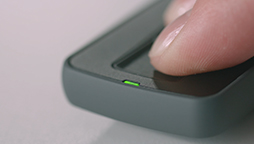
1. On the ConnectClip, hold the long button for three seconds to turn it on. The status LED will begin to blink.
2. Restart your hearing aids by opening and closing the battery compartments. Place them within 20 cm (7 inches) of the ConnectClip. The status LED on the ConnectClip will stop flashing once pairing is complete.
3. Hold the long button for another three seconds. Your ConnectClip can now be used as a remote microphone.
Go back to hearing aid maintenance videos
|
Audio |
Visual |
|
Music |
White screen: How to use the ConnectClip as a remote microphone |
|
Music |
An audiologist is sitting at a table. She picks up the ConnectClip and presses on the longest button for 3 seconds. The ConnectClip will start to blink. |
|
Music |
She picks up a hearing aid and opens and closes the battery drawer. |
|
Music |
She repeats the process with the other hearing aid. |
|
Music |
The ConnectClip will stop blinking when connected. |
|
Music |
She presses the longest button for 3 seconds, and the remote control can now be used as a microphone. |
|
Music |
White screen: Audika logo |